GScript Language Reference
GScript is the small GScript Studio language for writing readable laser jobs and compiling them to explicit GRBL-style G-code.
laser on. Run cautious low-power tests before cutting real material.
Contents
- Quick start
- Examples
- What is GRBL?
- Command palette
- Command reference
- Named constants and variables
- Procedures and functions
- Numeric expressions
- Coordinates and motion
- Generated G-code behavior
- Optimization
- Command line
- Diagnostics and limits



Quick Start
units mm
travelspeed 100
speed 20
power 20

laser on
rectangle 50 50
This script cuts a 50 mm square in local job coordinates. Use Generate G-code to compile the script and update the preview. Editing the script marks the generated output and preview as stale until you generate again.
Examples
The Documentation\examples folder ships with the app and contains complete scripts you can open, study, and modify. Each example shows a different pattern for combining motion, variables, procedures, and loops.
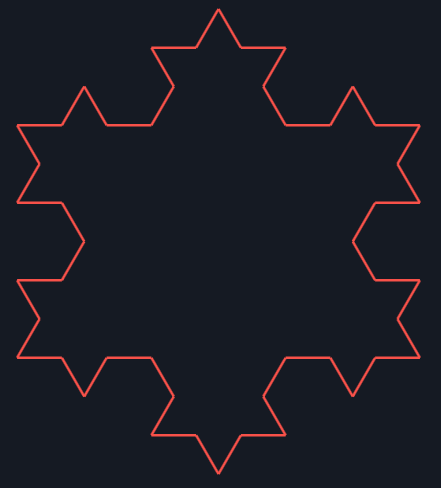
- kochsnowflake.gcs - finite-depth fractal built from nested procedures and repeated turns.
- PenroseTiling.gcs - Penrose-inspired rhomb tiling with a single depth constant for choosing how many rings to draw.
- sineribbon.gcs - parametric ribbon that uses a helper function and indexed loops to build a waveform.
- spiral.gcs - compact polar spiral that advances radius and angle together.
- wavycircle.gcs - reusable shape driver that samples a radius function around the full circumference.
What Is GRBL?
GRBL is open-source motion-control firmware for small CNC-style machines. It reads G-code commands, plans motion, and controls motors and spindle or laser output. GScript Studio does not replace GRBL; it compiles a simpler script into GRBL-style G-code, and its streamer wraps the job in xTool-specific setup and cleanup commands.
In this app, GScript commands such as move, rapid, circle, travelspeed, speed, power, and laser on compile to familiar G-code words such as G0, G1, G2, F, S, M4, and M5. GRBL also has its own system commands, many beginning with $, for checking settings, viewing parser state, homing, jogging, and querying build information. Those system commands are separate from GScript.
- GRBL project repository - project overview, source code, and general background.
- GRBL v1.1 commands - system commands such as
$$,$G,$I,$H,$J, and realtime commands. - LinuxCNC G-code documentation - broader G-code and modal-command background. GRBL supports only a practical subset, so verify commands before using them on the laser.
Command Palette
The left script palette lists available language keywords and can insert text into the editor when clicked. Keywords and shapes are language commands. Snippets are convenience examples.
GScript Keywords
| Palette item | Inserted snippet | Purpose | What to edit |
|---|---|---|---|
| const | const size 50 | Defines an immutable numeric value for later command arguments. | Edit the name and numeric value. Declare before use. |
| exit | exit | Stops executing the rest of the script. | No arguments. |
| func | func diameter radius = radius * 2 | Declares a reusable top-level numeric function. | Edit the function name, parameter names, and numeric expression. |
| goto | goto 0 0 | Moves to an absolute script coordinate and may cut. | Edit absolute script coordinate. |
| home | home | Travels to script coordinate 0 0 with the laser off and resets heading to positive X. | No arguments. |
| if | if size == 50 { ... } else { ... } | Runs one command block when a numeric comparison succeeds, and optionally a different block when it fails. | Edit the left and right numeric expressions and the commands inside each branch. |
| laser off | laser off | Disables cutting for later movement. | Use before travel moves or at the end of a cut. |
| laser on | laser on | Enables cutting for later move and goto commands. | Use before path segments that should burn/cut. |
| let | let size = 50 | Declares a mutable numeric variable in the current block scope. | Edit the name and numeric value. Use after declaration; include the =. |
| proc | proc square size { ... } | Declares a reusable top-level command block. | Edit the procedure name, parameter names, and commands in the block. |
| move | move 10 | Moves forward relative to the current heading. | Edit forward distance in the current heading. |
| power | power 20 | Sets laser power for later laser-on moves. | Edit laser power percent. Range is 0 through 100. |
| rapid | rapid 0 0 | Travels to an absolute script coordinate with the laser off. | Edit absolute script coordinate for laser-off travel. |
| repeat | repeat 4 { ... } | Runs a command block multiple times. | Edit count and commands inside the block. |
| speed | speed 20 | Sets cut speed for later laser-on moves. | Edit cut speed in mm/sec. Range is greater than 0 through 400. |
| travelspeed | travelspeed 100 | Sets travel speed for later laser-off moves. | Edit travel speed in mm/sec. Range is greater than 0 through 400. |
| heading | heading 90 | Sets the current heading absolutely. | Edit absolute heading in degrees. |
| turn | turn 90 | Changes the current heading for future relative moves. | Edit degrees. Positive turns right, negative turns left. |
| units | units mm | Selects millimeters for generated G-code. | Only mm is supported. |
Shapes
Each shape travels to its perimeter start with the laser off, draws using the current laser state, then returns to the center and leaves the heading unchanged.
| Palette item | Inserted snippet | Purpose | What to edit |
|---|---|---|---|
| circle | circle 25 | Draws a full circle centered on the current position using G2 circular interpolation. | Edit radius. The normalized full circle must fit inside the work area. |
| ellipse | ellipse 40 20 | Draws an ellipse centered on the current position using short line segments. | Edit X and Y radii. The normalized full ellipse must fit inside the work area. |
| polygon | polygon 6 25 | Draws a regular polygon centered on the current position. | Edit side count and side length. |
| rectangle | rectangle 50 50 | Draws a rectangle centered on the current position. | Edit width and height. |
Snippets
| Palette item | Purpose | Important edits |
|---|---|---|
| Setup block | Inserts common job setup: units, travel speed, cut speed, and power. | Set travel speed, cut speed, and power for the material and job. |
Command Reference
Setup and output
units mm: Selects millimeters. This is the only supported unit today. Generated G-code usesG21.speed millimetersPerSecond: Sets cut speed inmm/secfor later laser-on cutting moves. Valid range: greater than0through400. Generated G-code converts this to anFfeed rate inmm/min.travelspeed millimetersPerSecond: Sets travel speed inmm/secfor later laser-off moves, includingrapid,home, and shape positioning moves. Valid range: greater than0through400. Generated G-code converts this to anFfeed rate inmm/min.power percent: Sets laser power as a percentage for later laser moves. Valid range:0through100. GScript Studio maps this to the machineSrange.laser on: Marks latermoveandgotocommands as cutting moves. Generated G-code usesM4dynamic laser power mode with the currentSvalue.laser off: Disables laser output and emitsM5. Latermoveandgotocommands become travel moves until laser output is enabled again.
Readable State Queries
state("x"): Returns the current turtle X coordinate in script space.state("y"): Returns the current turtle Y coordinate in script space.state("heading"): Returns the current heading in degrees.state("laser"): Returns1when laser mode is on and0when it is off.state("power"): Returns the current laser power percent.state("speed"): Returns the current cut speed inmm/sec.state("travelspeed"): Returns the current travel speed inmm/sec.
State queries are read-only expression helpers. Unknown state names produce a diagnostic, and the property name is always a double-quoted string literal.
Motion and flow
move distance: Moves forward bydistancein the current heading. It cuts when the laser is on and travels when the laser is off.heading degrees: Sets the current heading absolutely. This is not a relative turn.turn degrees: Changes the current heading. Positive values turn right. Negative values turn left.home: Returns the turtle to script coordinate0 0with laser output off, then resets the heading to positive X. This is a local script command; it does not run the machine's physical homing cycle.exit: Stops executing the script. Later commands are not emitted to generated G-code. Ifexitappears inside arepeatblock, it stops the whole script rather than only the current repeat iteration.goto x y: Moves to an absolute script coordinate. It cuts when the laser is on and travels when the laser is off.rapid x y: Moves to an absolute script coordinate with laser output off. If the laser is currently on, the compiler emits laser-off G-code before the rapid move and restores laser output before the next cutting move.if left comparison right { ... } else { ... }: Runs one branch when a numeric comparison succeeds and optionally runs theelsebranch when it fails. Supported comparisons are==,!=,<,<=,>, and>=. Each branch is its own block scope, soletvariables declared inside a branch do not exist after that branch ends.
Shapes
rectangle width height: Draws a rectangle centered on the current position using the current heading as the first side direction. The compiler travels to the first corner with the laser off, draws the closed rectangle, then travels back to the center and leaves the heading unchanged.polygon sides sideLength: Draws a regular polygon centered on the current position using the current heading as the first side direction.sidesmust be an integer from3through360, andsideLengthmust be greater than0. The compiler travels to the first corner with the laser off, draws the closed polygon, then travels back to the center and leaves the heading unchanged.circle radius: Draws a full circle centered on the current position using clockwiseG2circular interpolation.radiusmust be greater than0, and the normalized full circle must fit inside the work area. The compiler travels to the perimeter with the laser off, draws the full circle, then travels back to the center and leaves the heading unchanged.ellipse radiusX radiusY: Draws an ellipse centered on the current position using short line segments. Both radii must be greater than0, and the normalized full ellipse must fit inside the work area. The compiler travels to the perimeter with the laser off, draws the full ellipse, then travels back to the center and leaves the heading unchanged.
Structure
proc name parameters { ... }: Declares a reusable top-level command block. Procedure parameters are local and read-only. Procedure calls use command syntax such assquare 20.func name parameters = expression: Declares a reusable top-level numeric function. Function calls use expression syntax such asdiameter(10). Parameters are local and read-only.repeat count { ... }: Repeats the commands inside the block.countmust resolve to a non-negative integer. Repeat blocks can contain other supported commands.let name = value: Declares a mutable numeric variable in the current block. Variables are visible only after declaration, and redeclaring the same name in the same block is an error.name = value: Reassigns an existing mutable variable. Assignment is statement-only and updates the nearest matching variable in the current or enclosing block. Constants cannot be reassigned, procedure parameters are read-only, and procedures cannot assign to outer variables.- Comments: Comments run to the end of the line. Use
#,;, or//.
Named Constants And Variables
Use const name value to define a reusable numeric value. Constants are immutable, case-insensitive, top-level declarations and must be declared before they are used. They can replace numeric arguments such as travelspeed, cut speed, power, repeat count, distances, coordinates, and shape sizes.
Names are case-insensitive. The first character must be a letter, and later characters may be letters, digits, _, or -.
const cutSpeed 20
const travelSpeed 100
const squareSize 50

travelspeed travelSpeed
speed cutSpeed
rectangle squareSize squareSize
Use let name = value to declare a mutable numeric variable. Variables are block-scoped, visible only after declaration, and may be reassigned later with name = value. Repeat blocks create a fresh block scope each iteration, so inner variables do not leak outside the block.
let step = 5

repeat 3 {
  move step
  step = step + 5
}
Procedures And Functions
square 20. Use a function when you want a reusable value inside an expression such as diameter(10).
Use proc name parameters { ... } to define a reusable top-level command block. Procedure calls use command syntax instead of parentheses, such as square 20. Parameters are local and read-only, procedures may declare their own local let variables, and procedures cannot assign to outer variables or call themselves recursively.
proc square size {
  repeat 4 {
    move size
    turn 90
  }
}

square 20
Use func name parameters = expression to define a reusable top-level numeric function. Function calls use parentheses and comma-separated arguments inside numeric expressions, such as diameter(10) or hyp(3, 4). Parameters are local and read-only, and functions cannot recurse.
func diameter radius = radius * 2
func hyp width height = sqrt(width * width + height * height)

circle diameter(10)
move hyp(3, 4)
Numeric Expressions
Numeric command arguments support +, -, *, /, parentheses, number literals, names declared earlier in the script, the built-in constant pi, built-in math functions sqrt(...), sin(...), cos(...), tan(...), and abs(...), and user-defined func calls. Trig functions use degrees so they match turn. Assignments are statements only; they are not part of numeric expressions.
const width 50
const height 30
const inset 5
let drawWidth = width - inset * 2

rectangle width height
rapid inset inset
rectangle drawWidth height - inset * 2
move cos(45) * 20
move sqrt(25) + abs(-3)
move diameter(5)
Coordinates And Motion
- The default work area is
430 mm x 400 mm. - Script coordinates are local job coordinates, not trusted absolute machine-bed coordinates.
- Generated paths are normalized so the job's minimum local X and Y become
0,0. - When streaming without confirmed machine homing, the current laser-head position is treated as the top-left of the normalized job box.
- Positive X moves right.
- Positive Y moves down.
- The default heading is positive X.
homereturns to script coordinate0 0and restores the default positive-X heading.- A positive
turn 90from the default heading points down the work area. - The compiler emits absolute G-code coordinates even though
moveis turtle-style relative motion. - Centered shapes can extend left or above the turtle position, so generated G-code first travels to the normalized perimeter start point with laser output off.
- When streaming compiled G-code, GScript Studio sets a temporary
G92 X0 Y0work offset so the current laser-head position becomes job-local top-left, then clears it withG92.1after the stream.
Generated G-code Behavior
GScript Studio emits conservative, readable G-code with an explicit header and footer.
; Generated by GScript Studio
G21
G90
M5
...
M5G21selects millimeters.G90uses absolute positioning.M5disables laser output at the start and end of generated jobs.- Travel moves use
G0with the currenttravelspeedfeed rate. - Cutting moves use
G1withSpower and the currentspeedfeed rate. - Circle moves use clockwise
G2circular interpolation withIandJcenter offsets. - Ellipse moves are approximated with short
G1orG0line segments. laser onemitsM4, the dynamic laser power mode used by GRBL 1.1 laser mode.
Optimization
The toolbar Optimize checkbox controls whether GScript Studio simplifies the generated toolpath and G-code. It is enabled by default and the setting is saved with the app layout settings.
When optimization is enabled, GScript Studio removes output that does not change the job:
- Zero-length linear moves are removed.
- Adjacent same-direction collinear
G0orG1moves are combined when they use the same motion state. - Intermediate laser-off travel waypoints may be skipped when adjacent
G0moves use the same travel state. - Repeated modal feed-rate and power words such as unchanged
FandSvalues may be omitted. - Consecutive duplicate state commands such as
M5, identicalM4 S...,G21, andG90are suppressed.
Optimization does not reorder the job, remove intentional repeated cutting passes, or convert circles into line segments. Circles remain G2 arcs, and ellipses remain segmented paths.
The preview uses the same optimization setting as generated G-code. When Optimize is on, the preview shows the optimized path. When Optimize is off, the preview and generated G-code show the raw compiler path before these simplifications.
Command Line
GScript Studio can also run without the WPF editor. When the executable is launched with arguments, it runs in headless mode, compiles the input script, writes the requested files, prints diagnostics to the console, and exits with a nonzero code if compilation or file handling fails.
If you launch the app with one bare `.gcs` file path, such as GScriptStudio wavycircle.gcs, it opens that file in the editor instead of entering headless mode.
GScriptStudio --input <script.gcs> [--output <output.gcode>] [--preview <preview.svg>]--inputor-ispecifies the source script file to compile.--outputor-ospecifies the generated G-code file path. If omitted, it defaults to the input path with a.gcodeextension.--previewor-pspecifies the preview SVG file path. If omitted, it defaults to the input path with a.svgextension.--show-dashed-linesincludes dashed travel lines in the preview SVG. By default, travel lines are hidden.--helpor-hprints usage text.- Compilation diagnostics are written to standard error so AI agents and scripts can capture them directly from the command line.
Diagnostics And Limits
The compiler reports line and column diagnostics for common problems:
- Unknown commands.
- Missing command arguments.
- Invalid numbers.
- Invalid numeric expressions.
- Unknown names.
- Duplicate constant definitions.
- Duplicate function definitions or parameters.
- Duplicate procedure definitions or parameters.
- Duplicate variable definitions in the same scope.
- Assignment to undeclared names, constants, procedure parameters, or outer variables from inside a procedure.
- Unknown state property names passed to
state(...). - Unknown functions or wrong function argument counts.
- Unknown procedures or wrong procedure argument counts.
- Recursion in procedures or functions.
- Unsupported units.
- Speed outside the allowed range.
- Power outside the allowed range.
- Unterminated string literals.
- Generated job bounds wider or taller than the configured work area.
- Unterminated repeat blocks.
- Malformed or unterminated conditional blocks.
Current language limits are intentional: numeric expressions stay small, and assignment is statement-only. Conditionals currently support only direct numeric comparisons with ==, !=, <, <=, >, and >=; there is no boolean and, or, or not layer yet. User-defined functions are single-expression numeric helpers only, not statement blocks. There are still no image engraving commands or true compiler-level macros. Procedures and functions are top-level only and do not support recursion.